The microscope device allows small objects to be seen through the lens, And allows to study and analyze the objects.
Types of microscopes:
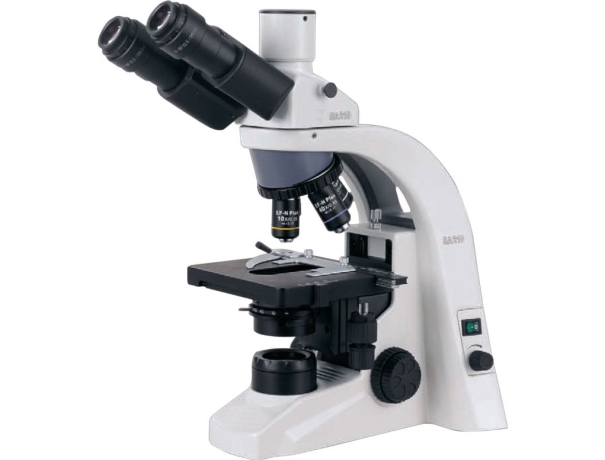
1.The Biological Microscopes
A biological microscope is a type of optical microscope used to tissues ,observe cells, and more.
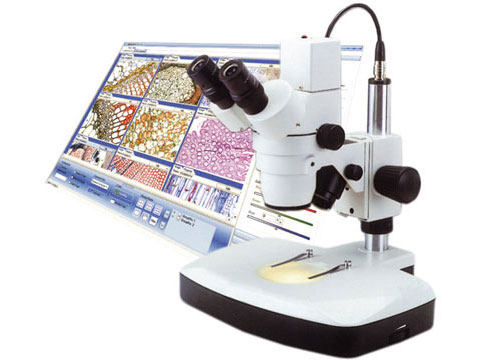
2.Digital microscopes
Digital microscopes Digital microscopes allow you to see the samples on a screen and download them to your computer.
3.Compound Microscopes
We can find two convex lenses in a compound Microscope. It gets its name from the fact that it employs a dual-lens arrangement. A compound system could use one of two light sources. The lens that is focused on an object and comes with a small aperture along with a short focal length is called an objective lens. Along with having an objective lens, the other lens that the compound microscope has is the eyepiece. The eyepiece lens has a shorter focal length but a large aperture that faces the eye. In between the centre of curvature of the object and the focus, the image is present. Enlarged images are produced by the eyepiece's object, in this case, the image. An ocular lens can be used in conjunction with a low focal length objective lens to enable easy viewing of images of microscopic organisms like protozoa, animals, bacteria, etc.
4. Simple Microscopes
A small object's image can be magnified using a simple microscope by making use of convex lenses having a short focal length. The ratio of the image's subtended angle at the eye to the object's subtended angle is viewed directly when both the objects are at the distance of their near point or shortest distinct vision.
5. Microscopes with Interference:
The macromolecule's quantitative studies of cell components can be done with the help of an interference microscope. A bright and dark lines pattern is produced when the optical paths of beams of reference and sample differ. Within an interferometer, incoming light gets split into two beams; following reflection, these two beams then recombine. The pattern of light and dark fringe is generated because of the constructive and destructive inference.
6. Stereo Microscopes:
A stereo comes with two optical pathways which enable the creation of a three-dimensional image. This image is due to the distinct anglings of the eyes. While stereo microscopes have a lesser resolution, they make up for it with a bigger working area that enables users to work with the subject under the microscope. Additionally, they utilize reflected light from the specimen instead of the light transmitted through them. This makes them excellent for denser objects.
7. Microscopes with Phase-Contrast
These microscope equipment are used to analyze the behaviour of living cells. The microscope helps the living cells to be viewed in their natural condition instead of being destroyed, fixed, or dyed. The technique that is used is contrast-enhancing, which creates photographs of translucent specimens with high contrast.
All the different types of microscopes have different utility. According to your needs you can work with the one that is suitable for your need.