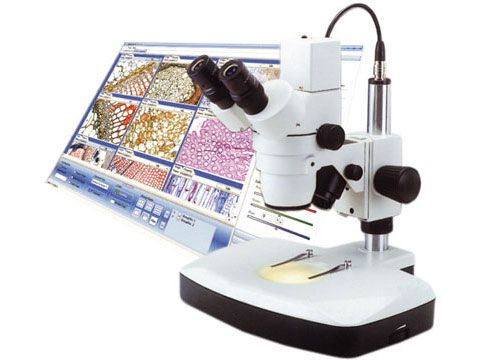
Digital microscopes have transformed how researchers, educators, and professionals analyze microscopic structures. Unlike traditional optical microscopes, digital microscopes use cameras and computer interfaces to display magnified images in real time.
Image Quality Issues
Blurry Images
Blurry images are one of the most common complaints with digital microscopes. This can be caused by:
- Incorrect focus – Adjust the focus manually until the image sharpens.
- Dirty or smudged lenses – Clean the lenses with a microfiber cloth and lens cleaner.
- Camera resolution settings – Ensure the camera resolution is set to the highest available option.
Low Resolution or Poor Image Clarity
If your Microscope images appear pixelated or unclear:
- Check the camera settings and increase the resolution if necessary.
- Ensure the camera is properly aligned with the microscope optics.
- Use proper lighting to enhance image clarity.
Uneven Illumination
Uneven lighting can cause shadows or bright spots in the image. Fix this by:
- Adjusting the position of the LED or external light source.
- Checking for obstructions on the lens or camera sensor.
Connectivity and Compatibility Problems
USB or HDMI Connection Issues
If your microscope isn’t connecting to your computer or display:
- Check that the USB or HDMI cable is securely plugged in.
- Try using a different port or cable to rule out hardware failure.
- Ensure the device is recognized in the system’s device manager.
Software Not Detecting the Microscope
If your software doesn’t recognize the microscope:
- Update or reinstall the drivers.
- Restart your computer and reconnect the microscope.
- Ensure the software is compatible with your operating system.
Software and Performance Issues
Lagging or Freezing Video Feed
A slow or lagging video feed may be due to:
- Insufficient RAM or CPU power – Close background programs to free up system resources.
- Low USB bandwidth – Use a high-speed USB 3.0 port.
Software Crashes or Malfunctions
If the microscope software crashes frequently:
- Reinstall or update the software.
- Check for compatibility issues with your operating system.
Calibration and Measurement Errors
Incorrect Scale Calibration
Calibration errors affect measurement accuracy. To recalibrate:
- Use a calibration slide to set the correct scale.
- Follow the software’s calibration procedure.
Inconsistent Measurements
To maintain consistent measurements:
- Use a stable mounting setup.
- Avoid vibrations when capturing images.
Storage and Data Management Problems
Images Not Saving Properly
If your microscope fails to save images:
- Check the storage settings in the software.
- Ensure there’s enough disk space on your computer.
Corrupt or Missing Files
To prevent data loss:
- Regularly back up images to an external drive or cloud storage.
- Use reliable file formats like PNG or TIFF.
Hardware Failures
Power Issues
If your microscope won’t turn on:
- Check the power adapter and battery (if applicable).
- Inspect for loose power connections.
Malfunctioning Buttons or Controls
Buttons or knobs not responding?
- Clean dust and debris from control areas.
- Contact the manufacturer for replacement parts.
Maintenance and Cleaning Problems
Dust or Debris on Lens
Regular cleaning ensures clear images. Use:
- A soft brush or air blower to remove dust.
- Lens cleaning solution for stubborn stains.
Fungal Growth on Optics
Fungus can damage lenses over time. Prevent this by:
- Storing the microscope in a dry environment.
- Using silica gel packets to absorb moisture.