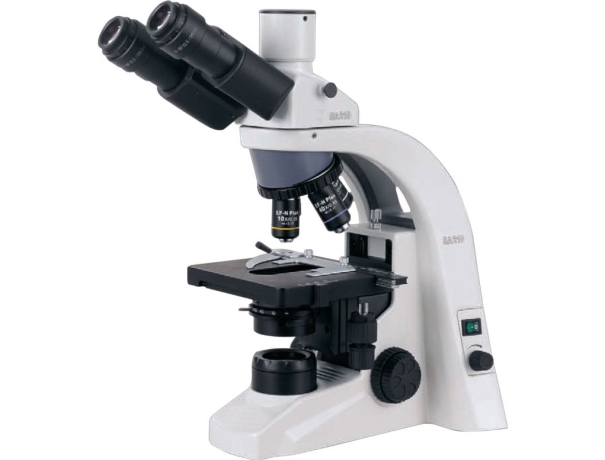
A biological microscope is a powerful tool used to magnify and measure specimens like cells, tissues, and microorganisms. It works with optical lenses, illumination, and sometimes digital imaging. The main parts include the ocular lens, objective lenses, stage, and light source. Measurements are typically made using calibrated eyepieces, micrometers, or software tools.
Common Measurement Challenges
Despite their sophistication, biological microscopes face several challenges:
- Calibration errors – Misaligned equipment can throw off results.
- Resolution limits – Some fine details can’t be captured without high-quality optics.
- Parallax errors – Slight misalignment between the sample and measurement grid.
- Operator inconsistencies – Human error plays a huge role in inaccurate measurements.
Methods to Improve Measurement Accuracy
Calibration Techniques
Calibration is the cornerstone of accurate measurement. Using a stage micrometer, researchers can align their eyepiece reticle for precise readings. A regular calibration schedule ensures the instrument stays reliable over time.
Proper Lens Selection
Each objective lens is designed for specific magnification and clarity. For very small specimens, oil immersion lenses (100x) provide sharper details with less distortion.
Digital Imaging Enhancements
Modern microscopes often include camera attachments and software. These tools allow users to capture images, measure structures digitally, and overlay grids for precise comparisons.
Role of Modern Technology
Integration of Digital Cameras
Digital cameras enhance microscopy by capturing images for further analysis. They allow real-time measurement and remote collaboration.
Computer-Aided Measurement Systems
Software-driven measurement reduces human error. With tools like image overlays, automatic scaling, and analysis, researchers gain consistency.
Automated Microscopy
High-throughput labs use automated microscopes for repetitive tasks. These instruments minimize operator variability while increasing productivity.
Best Practices for Users
Proper Sample Preparation
A poorly prepared slide leads to poor results. Thin, well-stained, and evenly spread samples improve clarity.
Lighting and Contrast Adjustments
Good illumination helps visualize edges and structures. Adjusting condenser settings and contrast reduces measurement errors.
Regular Maintenance and Cleaning
Dust and oil can distort optics. Routine cleaning of lenses and mechanical parts ensures sharp and reliable performance.
Advanced Approaches
Fluorescence Microscopy
By tagging specimens with fluorescent dyes, scientists can measure cellular structures with high specificity.
Confocal Microscopy
This technique eliminates out-of-focus blur, improving 3D measurement of complex samples.
AI and Machine Learning in Measurement
Artificial intelligence is revolutionizing microscopy. AI algorithms can count cells, measure growth, and even detect anomalies faster than humans.
Applications of Accurate Measurement
Precise measurement in biological microscopes drives progress across multiple fields:
- Cell Biology – Measuring organelles and cell dimensions.
- Microbiology – Identifying bacterial morphology.
- Medical Diagnostics – Detecting abnormalities in tissue samples.
- Drug Development – Tracking cell responses to new compounds.
Training and Skill Development
The best microscope won’t help if the operator lacks training. Workshops, certifications, and guided practice build expertise. Universities and research centers often offer skill-development courses for advanced microscopy.
Tips for Analyzing Biological Microscopes
Here are practical and professional tips for analyzing biological microscopes, whether you're evaluating a unit for purchase, conducting quality control, or troubleshooting:
1. Understand the Application Needs
- Define the specimen type: Bacteria, tissue sections, blood samples, etc.
- Determine the magnification required: Standard biological microscopes offer 40x–1000x; higher may require oil immersion.
- Consider staining needs: Brightfield for general stains, phase contrast or fluorescence for specific applications.
2. Evaluate the Optical System
- Objective lenses:
- Look for DIN standard or Plan Achromatic for flat field and corrected aberrations.
- Check for oil immersion capabilities (typically 100x).
- Eyepieces:
- Wide-field (WF10x or WF15x) for easier viewing.
- Adjustable diopters for individual vision correction.
- Condenser & diaphragm:
- Abbe condenser (NA 1.25 or higher) is ideal.
- Iris diaphragm enables precise light control.
3. Analyze Illumination Quality
- LED vs. Halogen:
- LED is cooler, longer-lasting, and more stable.
- Halogen may offer warmer light, but shorter lifespan.
- Köhler illumination is essential for high-quality, uniform lighting—check if the microscope supports it.
4. Inspect Stage Mechanics
- Mechanical stage: Look for X-Y movement precision and ergonomic controls.
- Stage clips vs. slide holder: Prefer a firm slide holder for smoother operation.
- Stage size: Ensure it's large enough for your standard slide and accessories.
5. Test Image Clarity and Contrast
- Observe stained and unstained specimens under multiple objectives.
- Check for:
- Color fidelity.
- Edge-to-edge sharpness.
- Minimal chromatic aberration (rainbow edges).
- High contrast in unstained samples (especially under phase contrast).
6. Check Build Quality and Ergonomics
- Arm & base: Should be solid and vibration-free.
- Coarse and fine focus knobs:
- Should be smooth with no backlash.
- Fine focus should allow for micron-level precision.
- Ergonomics: Comfortable height, angled eyepiece (30° typically), and accessible controls.
7. Analyze Camera & Imaging Capabilities (if included)
- Resolution: At least 5MP for routine documentation; 10–20MP for research or publishing.
- Sensor type: CMOS for basic use, CCD for higher sensitivity.
- Software compatibility: Look for measurement tools, annotation, live-view features, and Windows/macOS support.
8. Examine Maintenance & Cleanliness Factors
- Easy access to clean optics without voiding warranty.
- Dust-proof and mold-resistant coatings preferred.
- Avoid touching objective lenses directly.