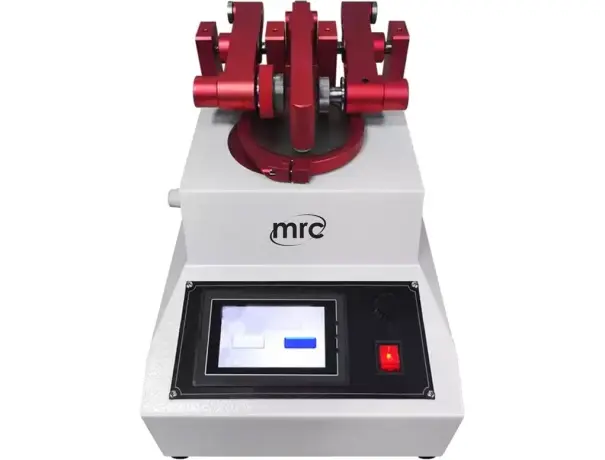
Abrasion testing is crucial in evaluating the durability and wear resistance of materials. Industries such as automotive, textiles, and construction rely on these tests to determine product longevity. A critical aspect of abrasion testing is adjusting the speed and pressure settings, which significantly impact the test results.
Understanding Abrasion Testing
Abrasion Tester measures a material's ability to resist surface wear caused by friction. Different test methods, including the Taber abrasion test, Martindale test, and pin-on-disc test, help assess material performance. Various industries, from footwear to aerospace, use abrasion tests to ensure material quality.
Key Factors Affecting Abrasion Test Results
Several elements influence abrasion test outcomes, including:
- Material properties (hardness, elasticity, and surface texture).
- Testing environment (humidity, temperature, and contaminants).
- Machine parameters (speed, pressure, and test duration).
The Role of Speed in Abrasion Testing
How Speed Influences Abrasion Results
Speed directly affects the wear rate of a material. Higher speeds generate more friction and heat, accelerating material degradation. Conversely, lower speeds reduce frictional forces, resulting in less wear.
Optimal Speed Settings for Accurate Results
Different materials require different speed settings. For example, rubber materials perform best at moderate speeds, whereas metals can withstand higher velocities without excessive degradation.
The Role of Pressure in Abrasion Testing
How Pressure Impacts Abrasion Results
Pressure determines the force applied to the test material. Higher pressure increases contact stress, leading to faster material breakdown. Low pressure, however, may not provide sufficient force to simulate real-world wear conditions.
Determining the Right Pressure Settings
Selecting the correct pressure setting ensures test accuracy. Excessive pressure can cause unrealistic wear patterns, while too little pressure may not replicate actual use conditions.
Combined Effect of Speed and Pressure on Abrasion Testing
The interplay between speed and pressure is vital. High speed with low pressure may not generate significant wear, whereas high speed with high pressure can cause rapid degradation. Finding the right balance ensures precise results.
Common Mistakes in Setting Speed and Pressure
- Overloading the sample, leading to unrealistic results.
- Using incorrect speed settings, affecting wear patterns.
- Ignoring environmental factors, which can distort results.