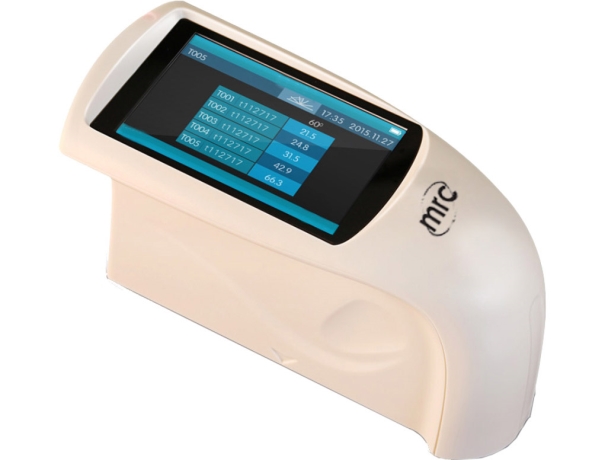
Gloss meters are essential tools used to measure the specular reflection of a surface—essentially, how shiny or glossy it appears under controlled lighting conditions. Gloss measurement plays a critical role in quality control across industries like automotive, coatings, plastics, and furniture.
Modern gloss meters, such as those from MRC, provide high accuracy, compliance with global standards (ISO 2813, ASTM D523, GB/T 9754, JJG 696), and versatile functionality suitable for a wide range of surface types.
What Does a Gloss Meter Measure?
A gloss meter quantifies gloss in Gloss Units (GU) based on how much light reflects off a surface at a specific angle. The higher the GU reading, the glossier the surface.
- 0 GU: Matte surface
- 100 GU: Polished standard black glass
- 1000+ GU: Metallic or mirror-like finishes
Gloss Measurement Angles and Their Applications
Choosing the correct angle is vital for accurate gloss evaluation:
| Measurement Angle | Best For | MRC Models Supporting |
| 20° | High-gloss finishes | NHG268, HG268, YG268 |
| 60° | Medium-gloss surfaces | HG60, NHG60, YG60 |
| 85° | Low-gloss or matte finishes | NHG268, HG268, YG268 |
- 20° captures fine differences on glossy surfaces (e.g., car paint).
- 60° is the universal standard for general-purpose gloss measurement.
- 85° is ideal for detecting small gloss differences on matte finishes.
Key Features of MRC Gloss Meters
- Multi-angle Measurement: Ideal for all gloss levels
- Auto-Calibration: Ensures accuracy before every use
- Large Data Storage: Save 1000s of readings onboard
- PC Software Connectivity: Data export and analysis
- Global Standards Compliance: ISO, ASTM, GB/T
How to Use a Gloss Meter Properly
- Calibrate using the supplied standard calibration plate.
- Place the gloss meter flat on the surface.
- Press Measure – results are displayed instantly.
- Record and compare readings across surface areas.
For best results:
- Use in a controlled lighting environment.
- Keep calibration plate clean and dry.
- Ensure surface size is larger than the aperture.
Applications Across Industries
| Industry | Gloss Meter Use Case |
| Automotive | Paint uniformity and panel gloss consistency |
| Coatings | Ensuring paint or lacquer gloss consistency |
| Plastics | Surface finish quality in molded parts |
| Furniture | Matching gloss levels of wood varnish or laminate |
| Packaging | Consistency of printed material gloss |
| Electronics | Gloss of screens, enclosures, and keypads |